







Rename Access Level Labels in OpenAsset

Dec 2, 2015
1 min
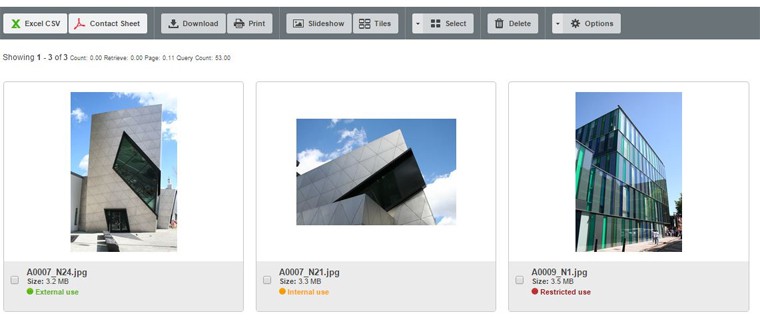
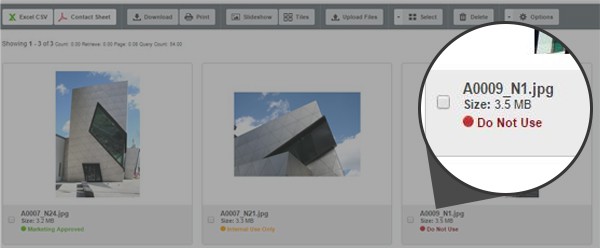
Did you know that you can rename the access levels (traffic lights) in OpenAsset?
The default access level names in OpenAsset are: External Use, Internal Use, and Restricted Use.
Use Text Rewrites To Change Access Level Names
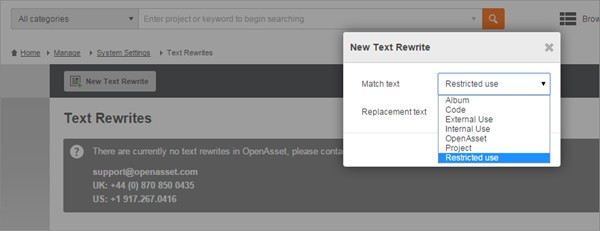
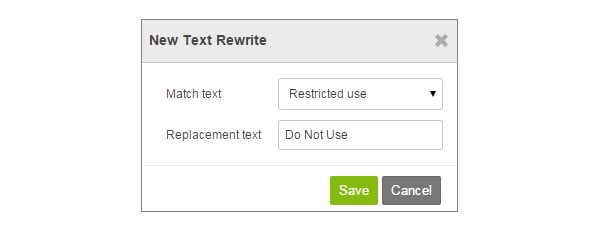
Use the Text Rewrite feature in OpenAsset to change the names of these access levels to something that is more in line with your internal process and terminology.
Other Text Rewrites
You can also use Text Rewrites to change the name of albums, projects, OpenAsset, and code to better suit your internal vocabulary. For more assistance with OpenAsset, visit our Help site.
Landon Iannamico is a content marketing expert with 6 years of experience helping B2B SaaS brands tell their stories and establish their verbal identities. He specializes in crafting brand narratives and producing content that breaks down complex concepts for highly specific, knowledgeable audiences across the data, AI, and engineering industries.